

Working with PESCE MediaWorks is now easier than ever. We have launched a new Client Studio, a private place where our clients can see their work, share feedback and send us anything they need, all in one spot.
No more phone tag. No more digging through long email chains to find the latest version of a design or the photo you meant to send last week. Everything lives in one place, organized by project.
Your Own Private Client Studio
Each client gets a secure login to their own Client Studio. Inside, you will find the work we are creating for you, so you can review it before the rest of the world sees it. That includes:
- Website designs and page layouts
- Logos and graphic design
- Social media posts
- Print and marketing pieces
You can look everything over on your own schedule, from your desk or your phone, and let us know what you love and what you would like changed.
One Place for Every Change or Request
Running a business means things change all the time. The Client Studio gives you one simple place to tell us about it, big or small:
- Text updates for your website
- New photos you want added
- Changes to your business hours
- Something on your site that looks broken
- Email or contact form trouble
- Brand new projects and ideas
Just log in, describe what you need and attach any photos or files. That is it. Your request comes straight to our team.
Handled Quickly by Our Team
Once your request comes in, our team takes care of it right away and makes the update for you. You do not have to wonder whether your message got lost or who is working on it. Your notes, files and feedback stay together with your project, so nothing slips through the cracks and everyone stays on the same page.
How the Client Studio Works
Here is a quick walkthrough using a sample business, so you can see exactly what it looks like from your side.
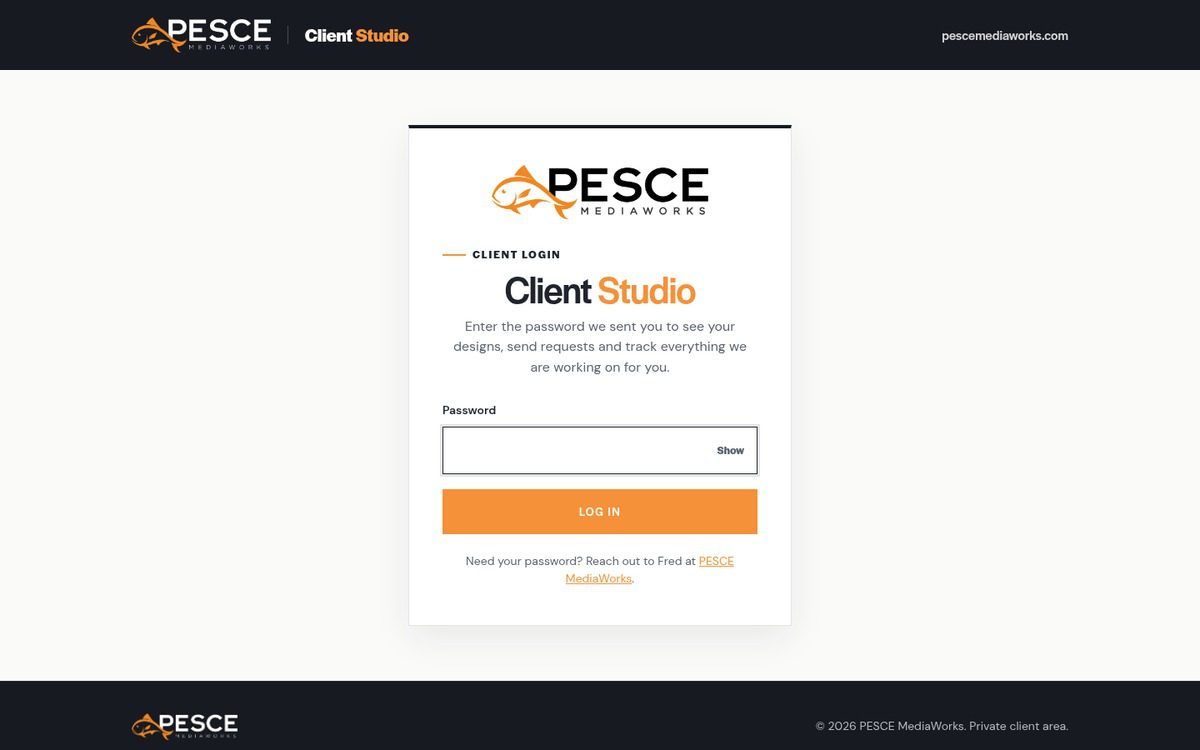
Step 1: Log In
When your Client Studio is ready, we will send you your own private password. Just enter it on the Client Studio login page and you are in.
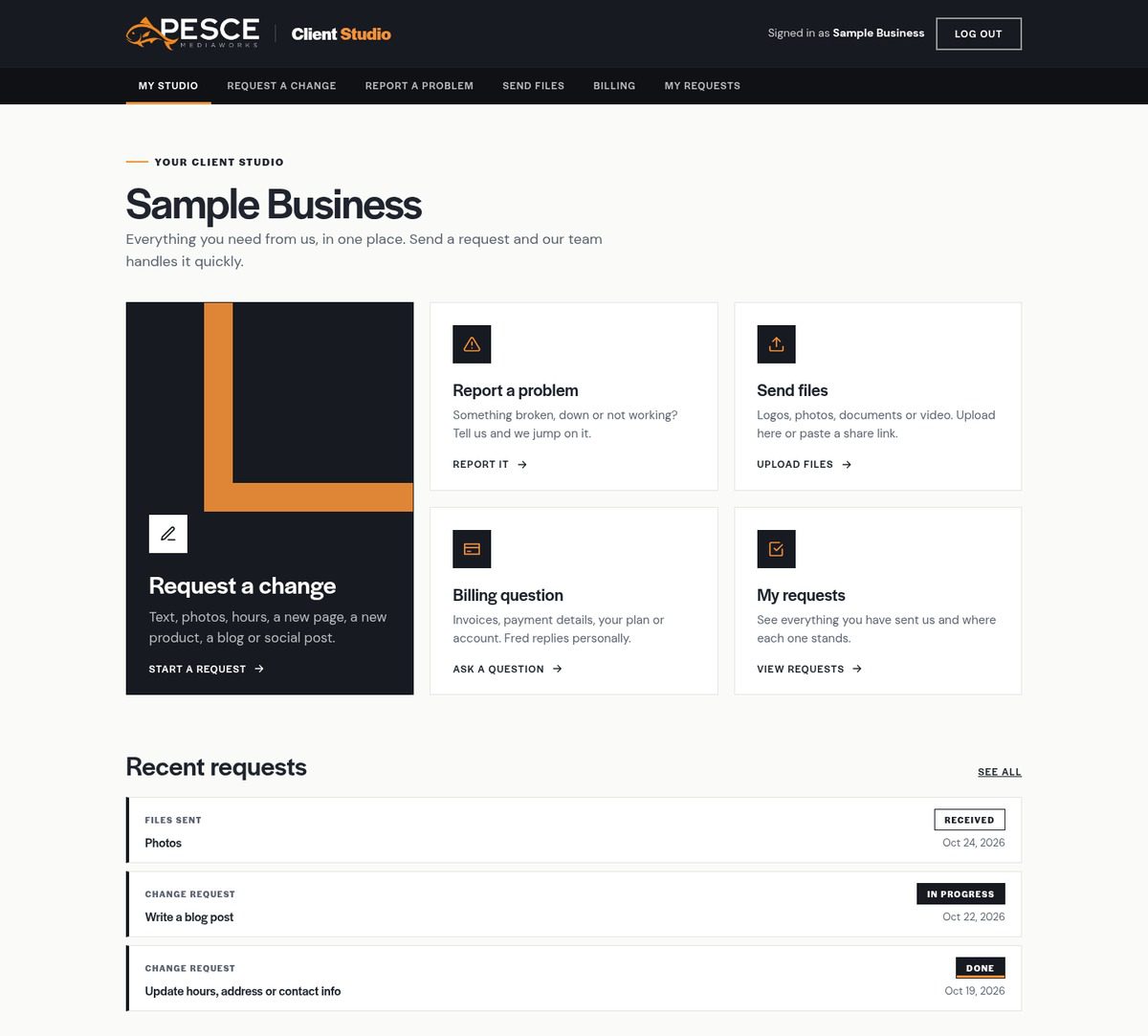
Step 2: Your Dashboard
Your dashboard is home base. From here you can request a change, report a problem, send files, ask a billing question, see your recent requests and open your design previews.
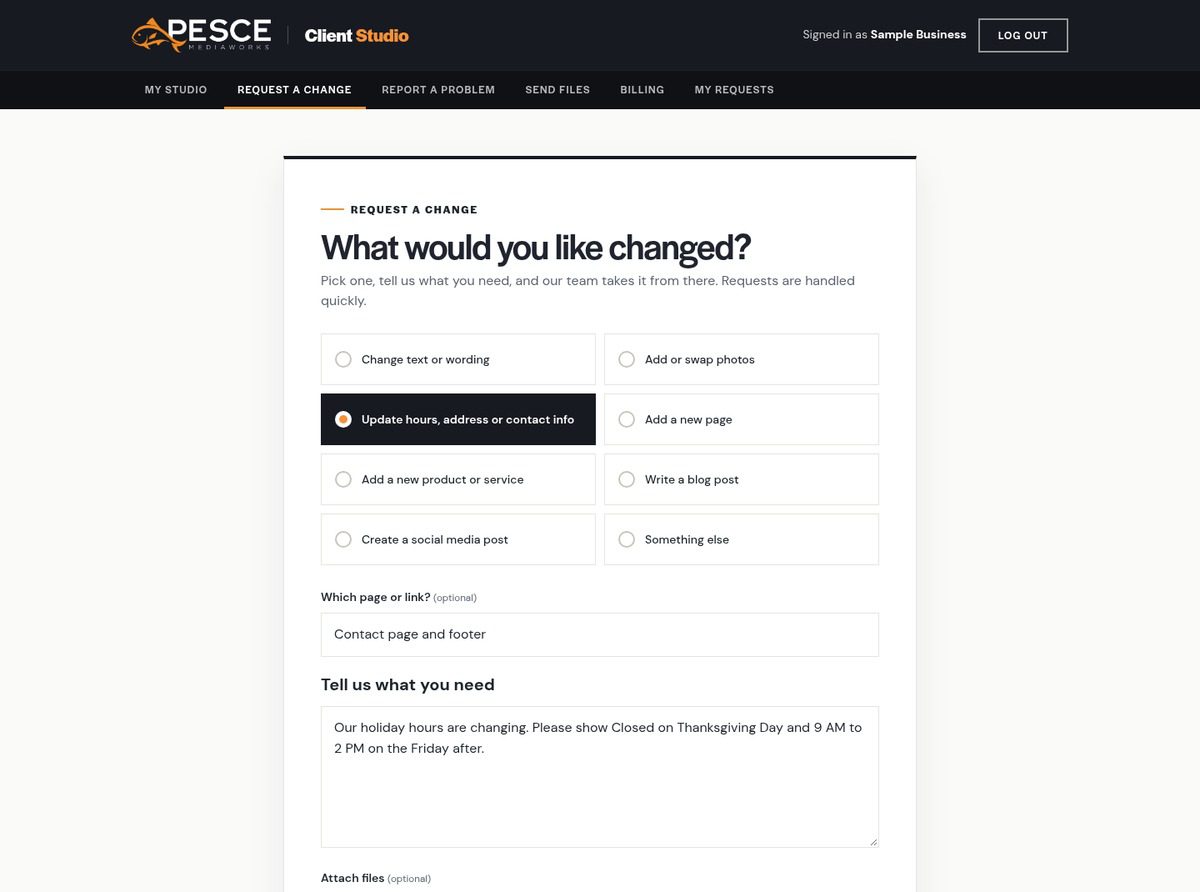
Step 3: Request a Change
Pick what you need and tell us about it in your own words. For example, a business updating its holiday hours might choose Update hours, address or contact info and write: “Our holiday hours are changing. Please show Closed on Thanksgiving Day and 9 AM to 2 PM on the Friday after.”
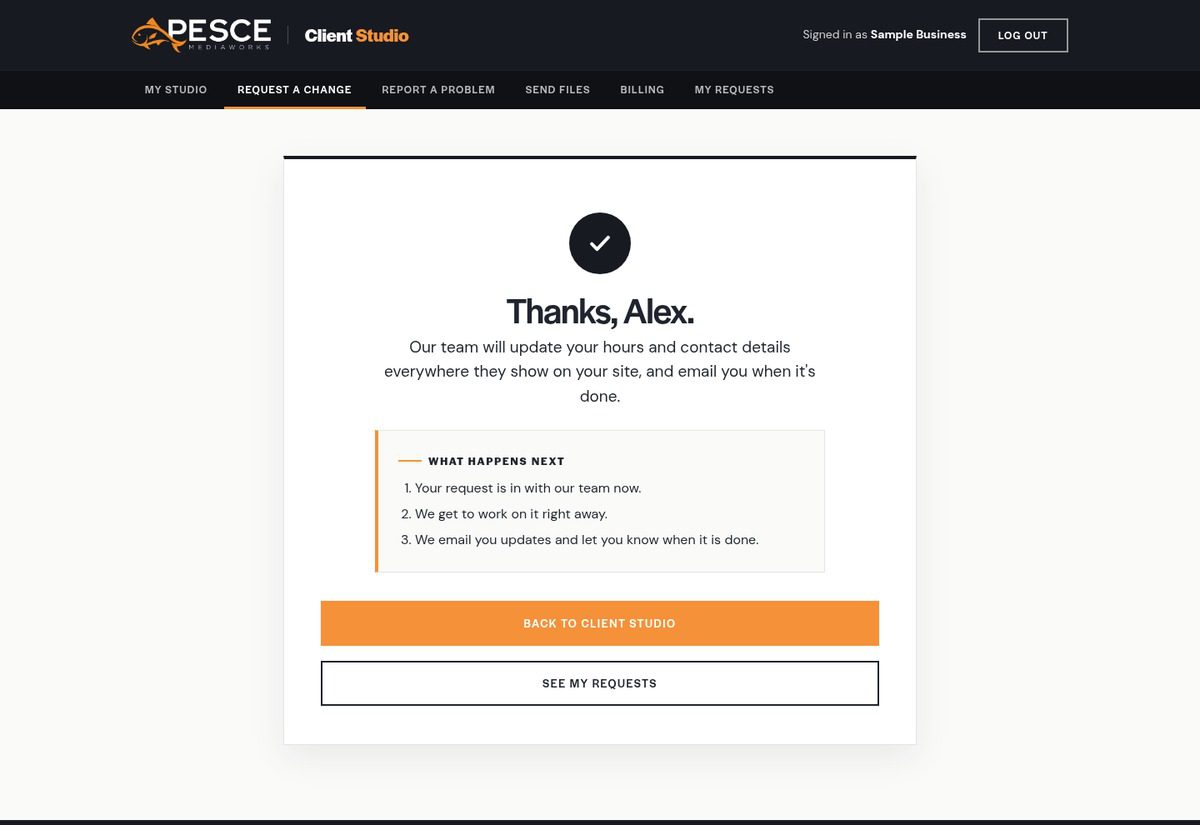
Step 4: What Happens Next
As soon as you hit Send Request, you will see a confirmation that your request is in with our team. We email you updates as we work on it and let you know when it is done.
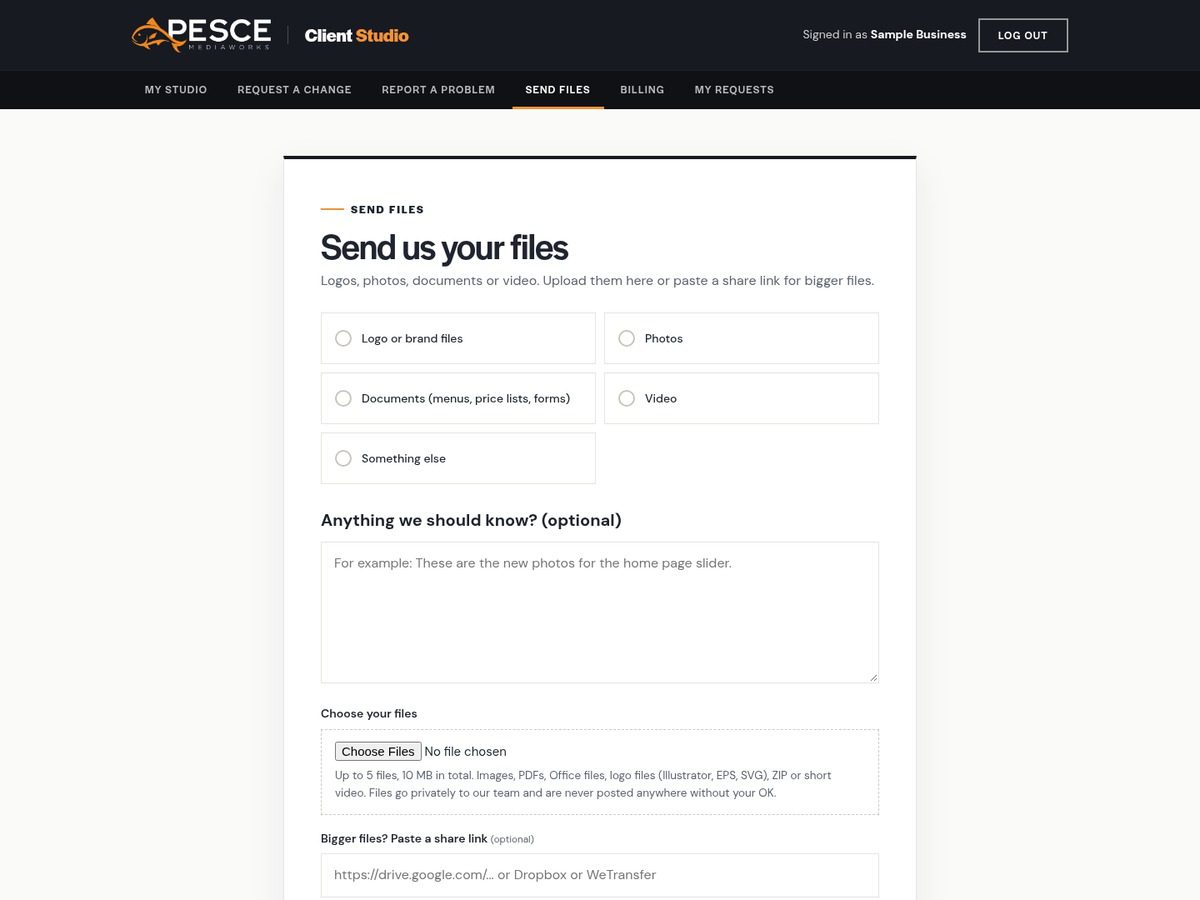
Step 5: Send Files
Have new photos, a logo or a menu to share? Choose the type of file, add a quick note like “These are the new photos for the home page slider” and upload them. For bigger files, you can paste a Google Drive, Dropbox or WeTransfer link instead.
Step 6: Track It in My Requests
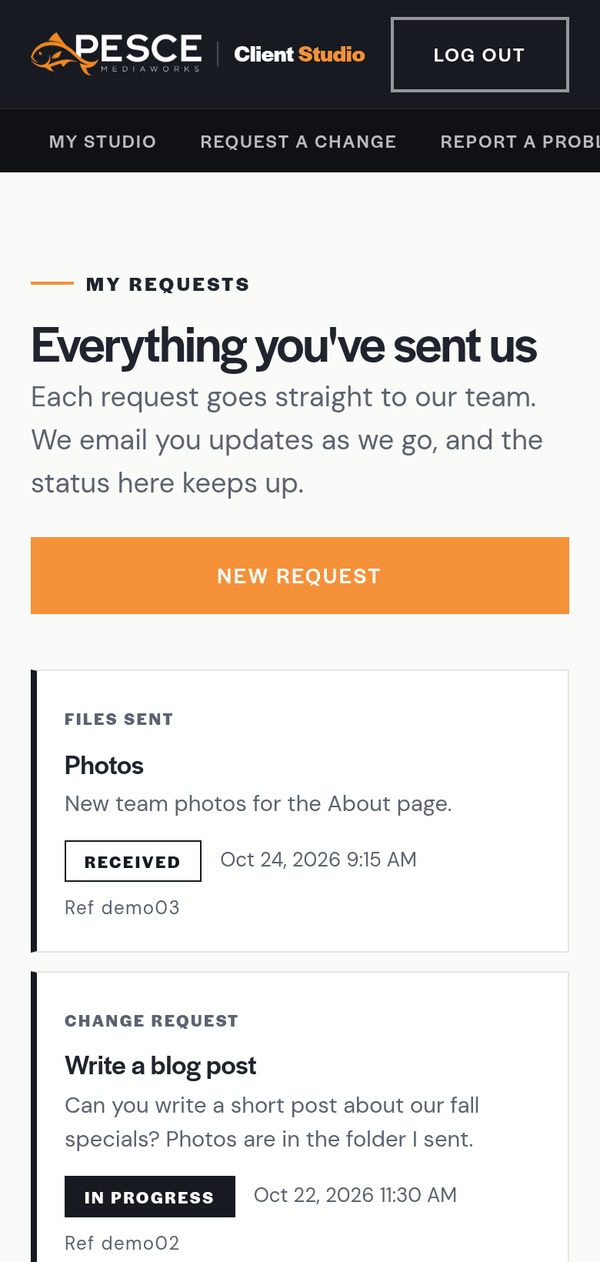
Everything you send us shows up in My Requests, along with where it stands: Received, In progress or Done. It works right on your phone too, so you can check in from anywhere.
Why We Built It
Our clients are busy running their businesses. The last thing they need is another hoop to jump through just to get a phone number fixed or a new photo posted. We built the Client Studio to make working with us simple, fast and clear, whether you are launching a brand new website or keeping your current one fresh.
It is one more way we stay true to how PESCE MediaWorks has always worked: personal attention, real people who know your business, and work you can count on.
How to Get Started
We are rolling out the Client Studio to our clients now. When your Client Studio is ready, we will reach out with your login details and a quick walkthrough so you know exactly how it works. Have a question in the meantime? Just contact us the way you always have.
Not a client yet? We would love to show you how easy marketing can be when you have a team that is truly in your corner. Book your free consultation with PESCE MediaWorks today.